The Flowers Adult Coloring Book: A Practical Guide to Getting the Most from Your Digital Printable Collection
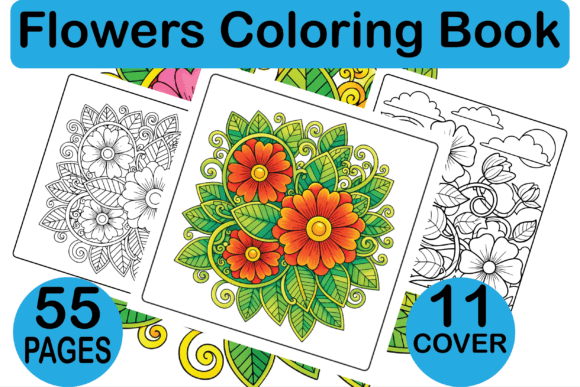
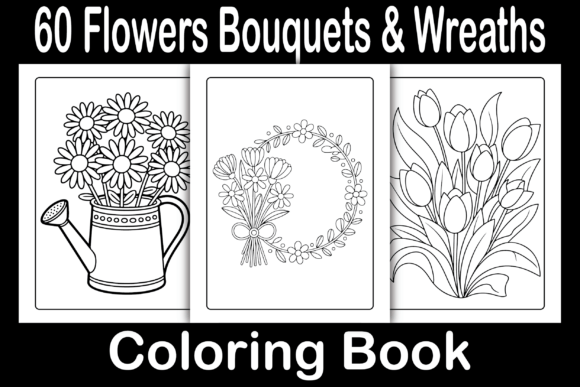
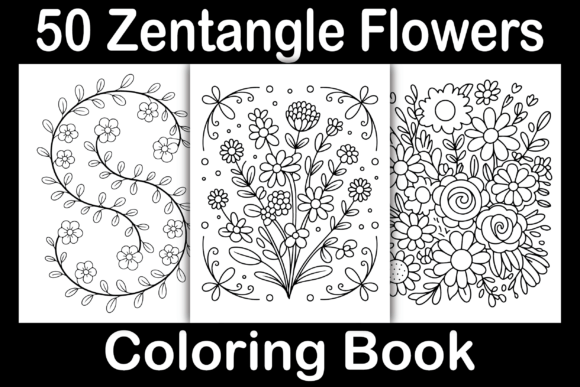
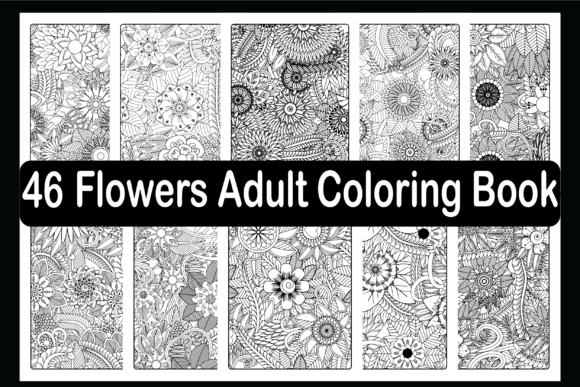
If you’ve come across the Flowers Adult Coloring Book — a digital printable set of 46 flower illustrations designed for adults (and older kids) — you’re likely considering it for personal relaxation, creative projects, or even as part of a KDP or POD product line. Many people grab a download like this without thinking about how to actually use it well, and that’s where things go sideways. A few simple missteps can turn what should be a beautiful, stress-free experience into wasted time, poor print quality, or missed opportunities if you’re selling. This article walks through the most common mistakes people make with this kind of resource, and more importantly, how to avoid them.
What Exactly Is the Flowers Adult Coloring Book?
This is a digital product you receive as a ready-to-upload PDF, plus individual JPG, PNG, EPS, and SVG files for each of the 46 flower designs. The interior is black and white, sized 8.5 x 11 inches with bleed — meaning it’s set up for professional printing that bleeds off the edge. You can use it for Amazon KDP interiors, POD merchandise like book covers or prints, or simply print it at home for your own coloring enjoyment. The versatility is a big selling point, but only if you understand how each file format works and what it’s meant for.
Common Mistake #1: Ignoring the Bleed and Trim Details
One of the most overlooked details in any printable coloring book is the bleed. The Flowers Adult Coloring Book includes bleed — that extra 0.125 inches of design around the edges — which means the final printed page will have color or outlines right to the edge after trimming. A lot of users, especially those new to KDP or print-on-demand, see “8.5 x 11 inches with bleed” and think they can just print the PDF at home on standard letter paper. That’s fine for personal use, but if you try to upload it to Amazon or another printer without understanding bleed, you’ll end up with white borders or cut-off artwork.
What happens when you ignore this? You either get a final product that looks amateurish (thin white strips on the edges) or you have to manually adjust the file, which defeats the purpose of buying a ready-to-upload PDF. The better approach is to always preview the file with trim marks visible before uploading. If you’re printing at home, you can simply print without bleed and accept that the design will have a small white margin — that’s fine for personal coloring. But for commercial KDP use, you must use a print provider that supports full-bleed PDFs, and never resize the PDF without understanding the consequences.
Common Mistake #2: Using the Wrong File Format for the Wrong Job
The Flowers Adult Coloring Book download includes multiple formats: PDF, JPG, PNG, EPS, and SVG. Each has a different strength. Many people just open the JPG or PNG and start printing, then wonder why the lines look pixelated or the background has a white square around the flower. That’s because raster formats like JPG and PNG are resolution-dependent — if you enlarge them too much, they blur. The PDF, on the other hand, is usually vector-based (especially if the EPS and SVG are also vector), meaning the lines stay razor-sharp at any size.
Here’s the practical fix: For printing, always use the PDF file. That’s the format intended for final output to KDP or your home printer. Use the JPG/PNG for quick digital mockups, social media previews, or on-screen coloring in apps like Procreate. Use EPS and SVG if you plan to edit the designs in Adobe Illustrator, Inkscape, or a similar vector program — these allow you to change colors, resize without loss, or combine elements for custom products. Using a JPG for your main print run is a sure way to get subpar results.
Common Mistake #3: Assuming It’s Only for Personal Relaxation
Yes, coloring flowers is incredibly relaxing and many adults buy these for stress relief. But limiting that mindset can keep you from getting real value if you’re a creator or entrepreneur. The Flowers Adult Coloring Book is sold with commercial licenses typical of KDP interiors — you can upload it as your own book on Amazon, use the designs on POD items like mugs or journals, or incorporate them into a larger creative project. Many buyers forget to check what license applies. If you bought for personal use only, you can’t resell the digital files themselves or use them in a product you sell without permission.
How to avoid this mistake: Always confirm whether the product includes a commercial use license or is for personal enjoyment only. Most KDP interior packs like this one are meant to be used in books you sell — but if you’re repurposing the individual flower images for other merchandise, double-check. A good habit is to read the product description carefully before purchase. If you’re unsure, message the seller. Using the designs unsafely can get your Amazon account suspended.
Common Mistake #4: Neglecting the Cover Design
The description says, “You’ve to create a great cover to start the selling machine.” That’s not just a casual tip — it’s the most important factor for whether your book sells. Many newcomers to KDP spend hours perfecting the interior but throw together a mediocre cover using a generic photo or simple text. With an adult coloring book, the cover is your first impression. Buyers scrolling on Amazon are drawn to covers that convey calm, beauty, and quality. A bad cover kills sales even if the interior is gorgeous.
Better approach: Use the EPS or SVG files from this set to design a cover that features one of the flower illustrations prominently, in color (even though the interior is black and white). Add clean, readable title text with a complementary font. If you’re not a designer, consider hiring a freelance cover artist who specializes in coloring books. Alternatively, use the JPG files to create a simple but elegant mockup against a soft background. Test your cover on a small audience before publishing.
Common Mistake #5: Not Checking Print Quality Before Full Production
Even with a perfect PDF and a beautiful cover, you need to test the print quality before ordering hundreds of copies. People sometimes skip this step because they trust the file. But paper type, printer calibration, and ink can all affect how the lines look. A coloring book depends on crisp, dark lines that don’t smudge or bleed when colored with markers.
Practical advice: Print one or two pages from the PDF on the exact paper you plan to use (or the paper your POD provider uses). Check that the lines are dark enough, not too thin, and the bleed area looks correct. For KDP, order a proof copy. If the lines appear faint or the artwork is slightly cut off, you can adjust the PDF in a vector editor — but the files from this set are already at high resolution, so a good print should look sharp. Don’t skip this because a bad print experience leads to negative reviews and returns.
What to Check Before You Buy or Use the Flowers Adult Coloring Book
- File compatibility: Do you have software that opens EPS and SVG? Many people don’t. If you only need PDF and JPG, that’s fine — but know what you’re getting.
- Bleed awareness: Understand whether your print method requires bleed. KDP does. Home printing typically doesn’t.
- Number of unique designs: 46 flowers sounds generous, but are there duplicates or mirrored images? Read reviews to confirm. This set promises 46 unique designs.
- Paper recommendations: For markers, use heavy, smooth paper. For colored pencils, standard printer paper works but tooth is better. The digital nature of this product means you control the paper — plan accordingly.
- Licensing: Confirm you can use the files for your intended purpose, whether that’s personal coloring, KDP publishing, or POD merchandising.
Making the Most of the Digital Package
One of the smartest moves you can make is to organize the files immediately after download. Create folders: one for the PDF master file, one for JPG/PNG for quick printing, and one for EPS/SVG for editing. If you’re using these for a KDP book, open the PDF and check every page for completeness. Sometimes digital files can have missing pages or corruption — download again if needed. Also consider that the black-and-white line art is designed to be colored by hand. If you plan to use these digitally (on a tablet), import the PNG or JPG into your coloring app. The SVG and EPS are great if you want to recolor the flowers in software for a custom cover or additional design elements.
The Flowers Adult Coloring Book is a solid starting point for anyone who loves floral designs or wants to launch a low-cost product line on Amazon. The key is to avoid rushing in without understanding bleed, file formats, and cover importance. Take a few minutes to preview, test, and plan your usage. That small upfront effort separates someone who ends up frustrated from someone who ends up with a beautiful, marketable coloring book they’re proud to share or sell.
Remember, the goal isn’t just to have the files — it’s to use them in a way that maximizes their potential. Whether you’re coloring for calm or creating for commerce, treating these 46 flower illustrations with care will make all the difference.